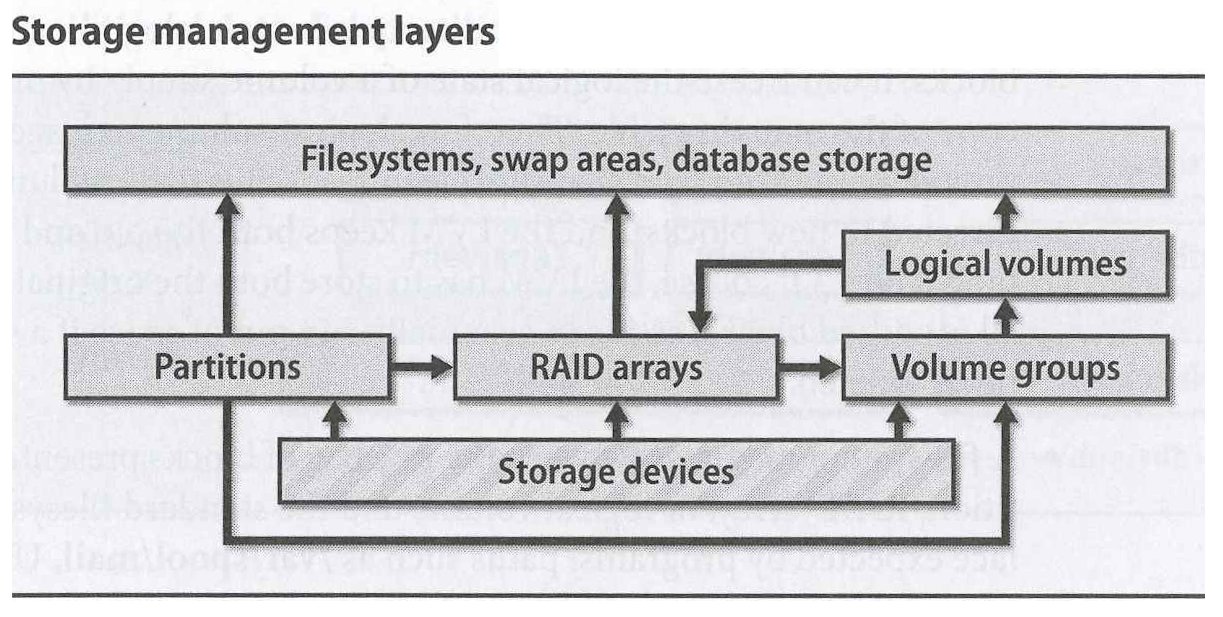
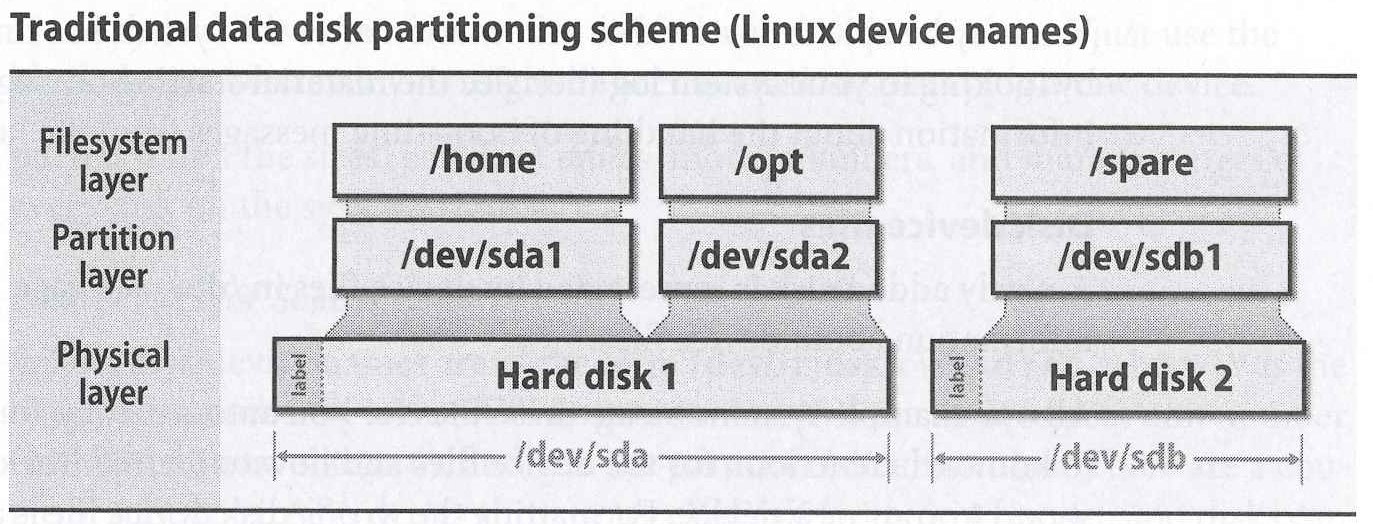
Adding a Disk - (Simple / Traditional) Disk Installation Procedure
- Write down disk's manufacturer, model ,size, serial #, ...
- Connect / attach the drive (USB vs SATA or SAS, hot-plugable ....) - ! the new drive may not be on the highest device number!
lsblk -o +MODEL,SERIAL- (Low Level Formatting - delineating sectors by writing address information and timing marks on platters)
- Labeling and Partitioning / Installing partition table on the disk
-
parted / gparted , fdisk, cfdisk, (or gdisk) - these days it should understand GPT-style partition tables
fdisk /dev/sdb=> g => n => <enter> ... => w the device file for the partition is /dev/sdb1 - (Let the kernel know about the new partition table)
- Creating Filesystems
-
Implementing the file system abstractions and goodies as described later in the chapter
mke2fs, mkfs, .... mkfs -t ext4 -L spare20GB /dev/sdb1 for EXT4 FS with a shorthand label "spare4TB" - Creating Mount Points and Mounting Filesystems
mkdir /extra2
mount /dev/sdb1 /extra2before the next step make sure all worked - Setting up automatic mounting & swapping
-
/etc/fstab
disk partitioning (sda4 is swap ...)
Storage Hardware
-
essentially the same 50+ years old technology ... ( wikipedia history)
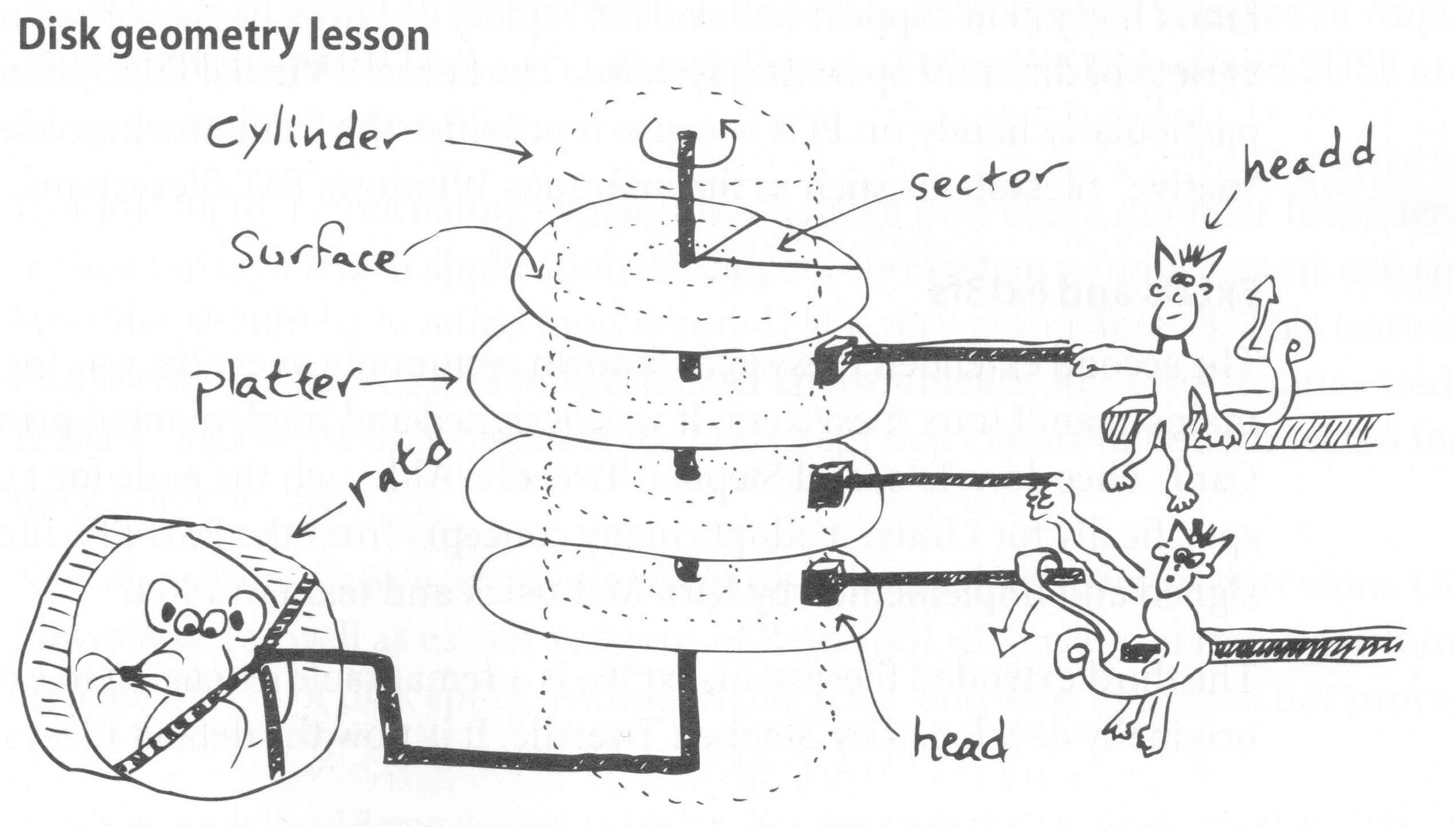
plus finally a new practical alternative few years ago: SSD - Solid State Disks (flash memory based devices)
and hybrids (HDs with large SSD buffers)....
both use the same interfaces and protocols
| Characteristics | HDD | SSD (book vs FA17 numbers) |
|---|---|---|
| Size | Terabytes | Gigabytes (4TB) |
| Random Access Time | 8 ms | 0.25 ms |
| Sequential Read | 100 MB/s | 250 MB/s ( up to ~5 GB/s) |
| Random Read | 2 MB/s | 250 MB/s ( up to ~3.5 GB/s) |
| Cost | $0.10 / GB | $3 / GB ($0.25 - $2 / GB) |
| Reliability | moderate | unknown |
| Limited writes | No | Yes ( ~100,000 / page - check DWPD or TBW : 1 DWPD 1 yr warranty 1TB SSD = 365 TBW SSD ) |
| other | pre-erasing, erased pool / FS usage, alignment (standard 512B disk block too small) ... |
Interfaces
- ATA, SATA (Serial ATA)- higher transfer rates, longer cables, hot-swap, command queuing (SATA-III : 6 Gb/s)
- PCI Express v. 5.0 : 32 GT/s at 3.9 GB/s (×1) 63 GB/s (×16) ; wikipedia page GT/s : gigatransfers per second => 64bit wide bus and 1GT/s = 8GB/s)
- SCSI - multiple disks on a bus (WideUtra3 160MB/s, 12m), daisy chain, target numbers; SAS (Serial Attached SCSI)
- USB (Universal Serial Bus) 10 GB/s for USB 3.1, 20 GB/s for USB 3.2
- Fiber Channel - large number of devices, ~100MB/s & up, ...
- PATA / IDE (Parallel Advanced technology Attachment / Integrated Drive Electronics)
Software does not care anymore ... LBA - Logical Block Addressing
Attachement and Low-level Management of Drives
lsblk -o +MODEL,SERIAL
devices /dev/sda, /dev/sdb, ...
Ephemeral device names - Adding a disk or rebooting can change the device name (sdb => sdc
- names are assigned in sequence as the kernel enumerates the interfaces and devices) -
/dev/disk
-
by-id
by-label
by-partuuid
by-path
by-uuid
-
= low level formatting ( not writing a partition table) - read the book
- interact with the firmware of SATA and SAS hard disks, secure erase, get/set device parameters:
- Hard disk monitoring with SMART
-
Hard disks - fault-tolerant systems , use error-correction coding and firmware to hide imperfections from OS
SATA devices have detailed status reporting sometimes predictive of HW failures - SMART: Self-Monitoring, Analysis, and Reporting Technology
> 50 operational parameters: Scan error, Reallocation, Off-line reallocation counts; Number of sectors on probation, ...
smartd daemon - monitors drives continuously plus /etc/smartd.conf and
smartctl command
-
power options enable or disable noise reduction options set the read-only flag print detailed drive information ...